1. Open a capture
PacketLens reads .pcap and .pcapng files.
- iPhone and iPad: tap a capture in Files, Mail or Messages and choose PacketLens, or open it from inside the app.
- Mac: double-click the file, drag it onto the app, or use File › Open.
The packet list appears after a quick initial pass. Tap a packet to see its full decode tree and hex. Use the filter bar to narrow the list by protocol, address or field.
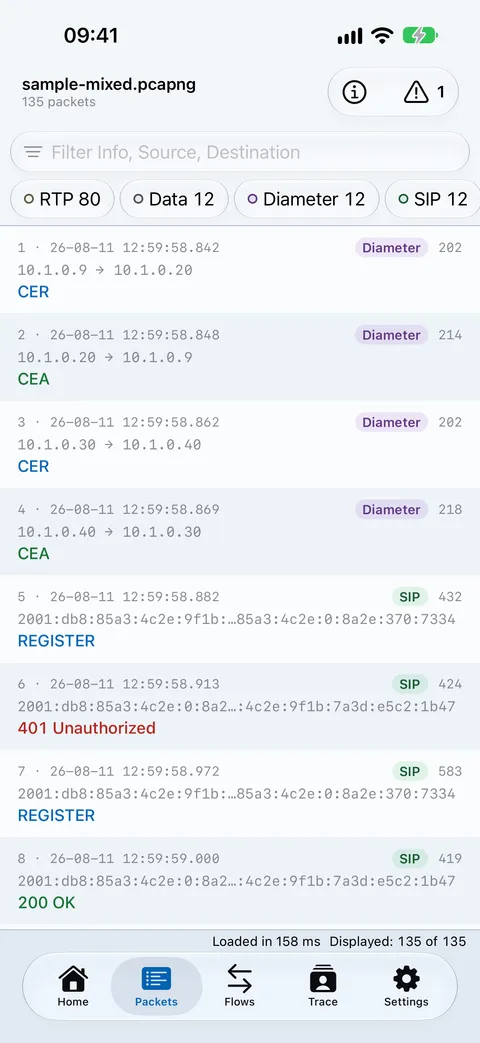
No capture to hand? The app ships with a small synthetic sample, so you can try every view before opening your own.
2. Find a subscriber
Open the Trace tab. Choose Subscribers or Hosts, then search by IMSI, MSISDN, IMEI, IP, MAC or host name. MSISDNs match in any common format (+41 79…,0041 79…, 079…).
Rows with a failure (attach reject, GTP cause not accepted, Diameter error, SIP 4xx–6xx, unanswered request) are flagged so you can start with the trouble. Tap View trace to open the subscriber’s story: an identity header (IMSI, MSISDN, IMEI, GUTI, UE IP, APN), then every procedure across the capture.
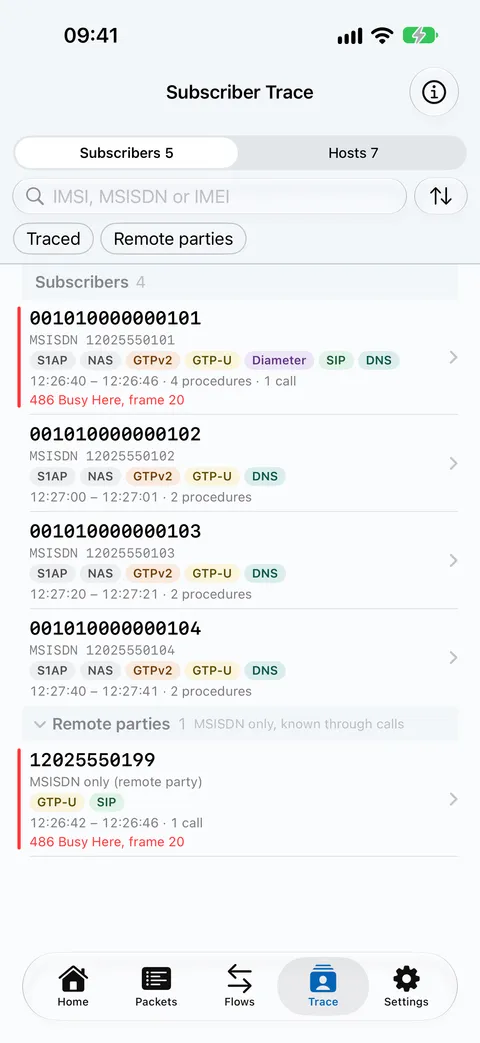
Tap any identity to see how it was linked. After NAS security is set up, messages are usually ciphered: they stay in the trace marked NAS (ciphered), and continuity comes from the S1AP UE IDs.
3. Read the ladder
Switch a trace or flow to the ladder view. Each lane is a network node; each arrow is a message in time order.
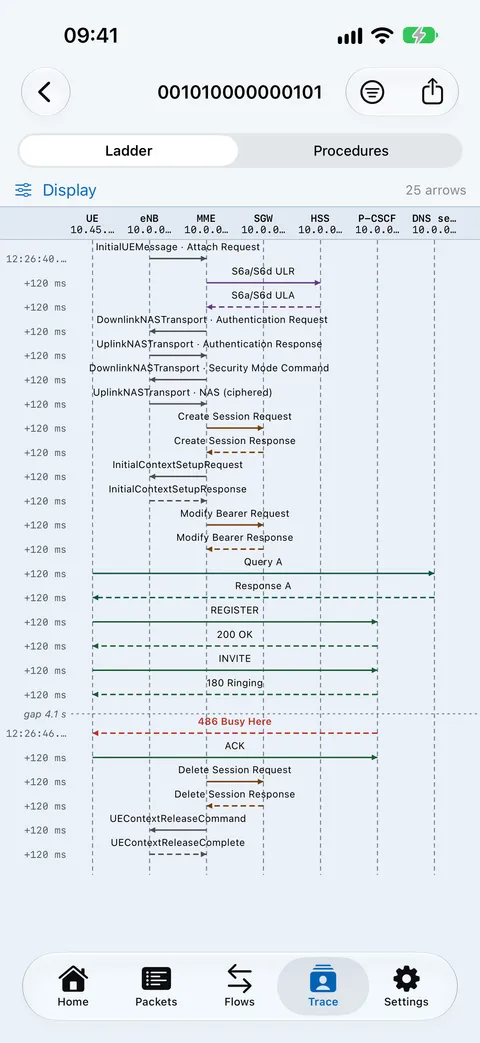
- Blue: requests. Teal: responses.
- Amber: provisional answers. Red: failures.
- Times and deltas sit on every arrow; tap an arrow to open that frame’s decode.
4. Export safely
From a trace, open the export sheet and pick a format:
- Ladder as PDF or PNG (paper size picked automatically, or choose one).
- Procedures as CSV or HTML.
- Frames as a filtered pcap.
Mask identities is on by default. IMSI, MSISDN and IMEI appear as 40401******486in images, CSV, HTML and file names. You can also pseudonymise network addresses.
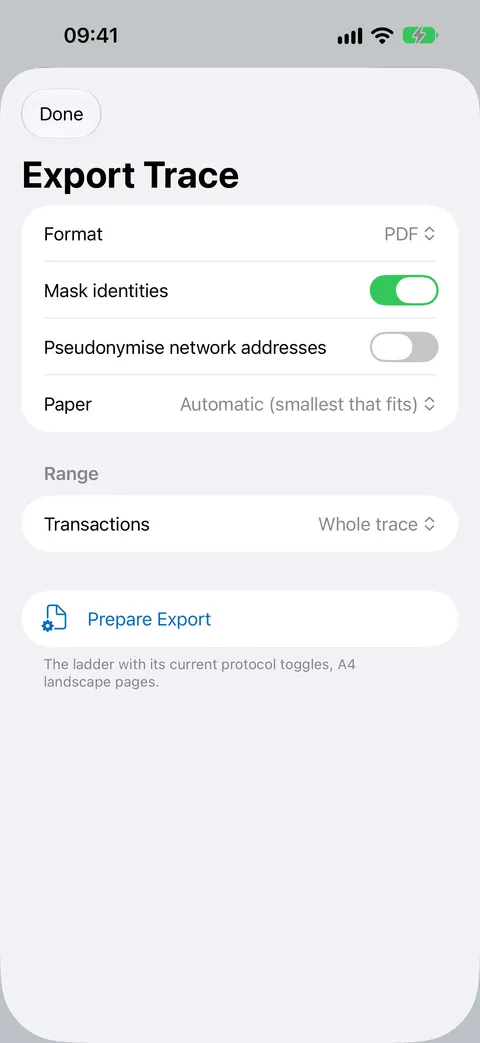
A pcap can’t be masked. Its packet bytes are the original data, so only its file name is masked. Share a filtered pcap only with people who are allowed to see that subscriber’s data. For tickets and slides, prefer the masked PDF, PNG or HTML.
Files go out through the share sheet (Mail, AirDrop, Files). Nothing is uploaded by PacketLens itself.
Stuck? See Support.