Features
Everything in one capture
Four views over the same decode, from single packets to the whole story of a subscriber.
The packet list you know
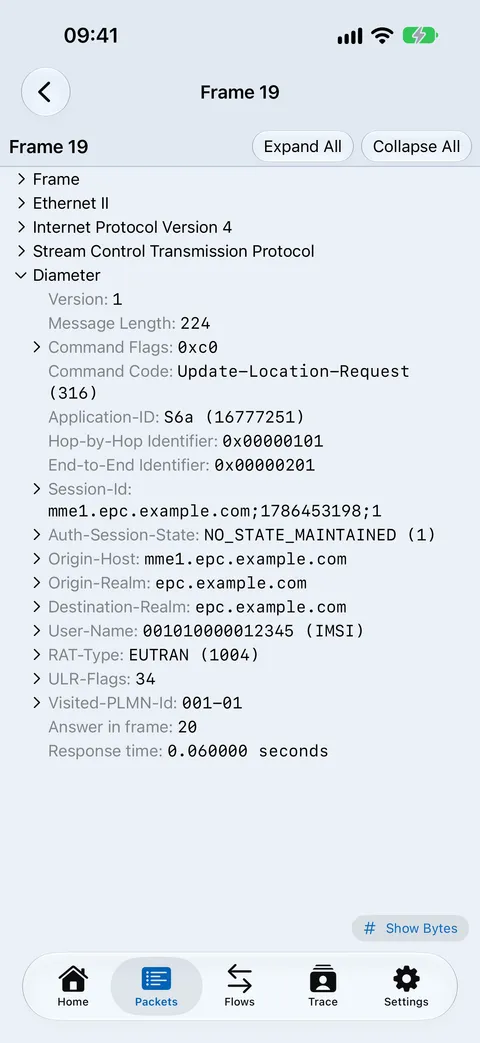
Open a pcap or pcapng from Files, Mail or AirDrop and get a two-pass decode: a fast list up front, the full tree on demand.
- Protocol badges: one colour per protocol family, tuned to stay distinct for colour-blind users.
- Display filters: narrow to a protocol, an address or a field value.
- Decode tree and hex: every field with its byte range highlighted in the hex view.
- Flows: requests matched to answers, with role colours for request, success, provisional and error.
- Reassembly: IPv4, IPv6, TCP and SCTP, so multi-segment messages decode whole.
Follow one subscriber or host
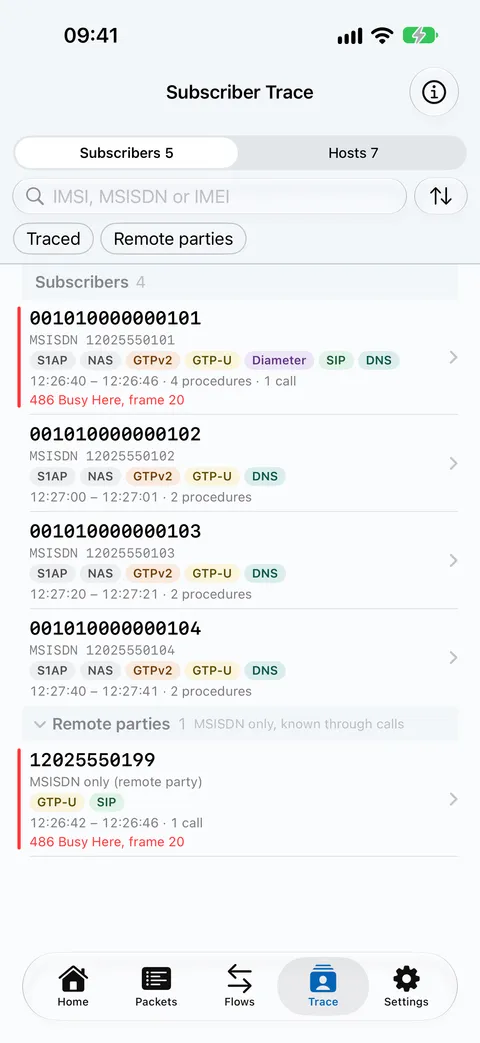
The Trace tab lists every subscriber and host in the capture. Search by IMSI, MSISDN, IMEI, IP, MAC or host name.
- Linked identities: IMSI, MSISDN, IMEI, GUTI, UE IP and APN joined across S1AP/NAS, GTPv2, Diameter, MAP and SIP.
- Provenance: tap an identity to see which message linked it.
- Failures stand out: rejects, error causes, SIP 4xx–6xx and unanswered requests are flagged in the list.
- Ciphered NAS: kept in the trace and labelled, never dropped silently.
- Hosts: a UE IP that belongs to a subscriber links straight to that subscriber.
Read the call as a ladder
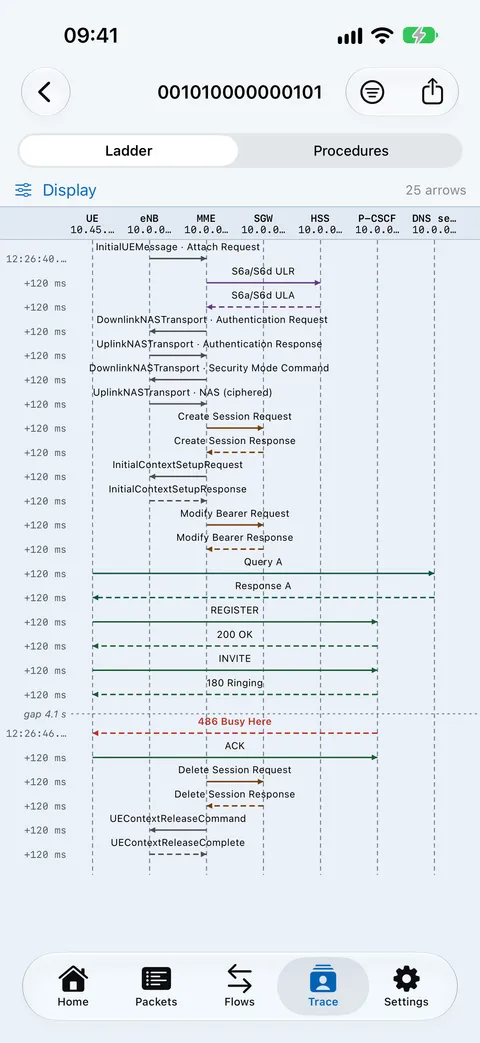
Any trace or flow becomes a sequence diagram: network nodes as lanes, messages as arrows in time order.
- Colour by role: requests, responses, provisional answers and media streams each have their own colour.
- Failures in red: the failing step stands out without reading every line.
- Timings: relative time and deltas on every arrow.
- Tap to decode: any arrow opens the full decode of its frame.
Share without leaking
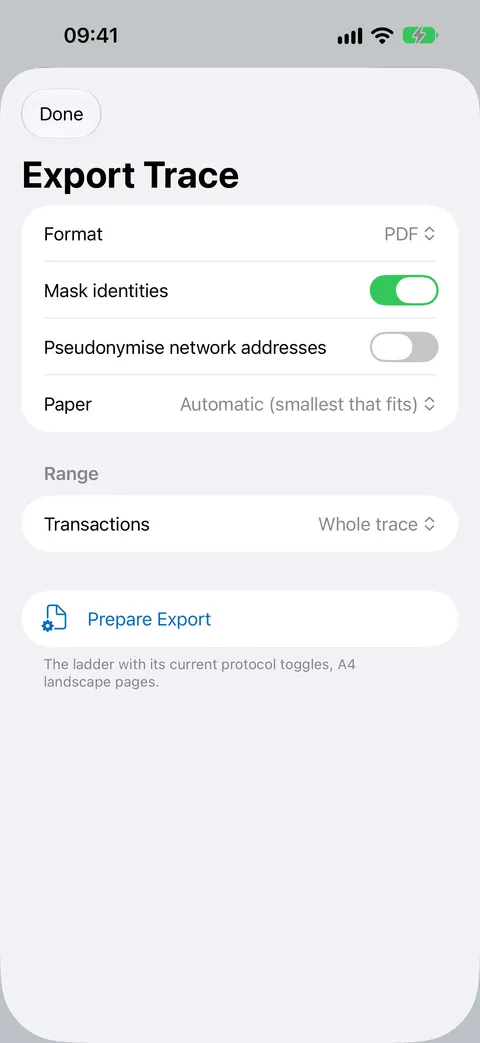
Export a ladder as PDF or PNG, procedures as CSV or HTML, or the trace’s frames as a filtered pcap, then send via the share sheet.
- Mask identities: on by default: IMSI, MSISDN and IMEI shown as 40401******486 in images, CSV, HTML and file names.
- Pseudonymise addresses: optional, for network addresses.
- Honest about pcaps: raw packet bytes can’t be masked, and the export sheet tells you so before the file is made.
- Ranges: export the whole trace, a time span or chosen transactions.